Protoball
A downloadable game for Linux
Build it. Break it. See what happens.
ProtoBall is an experimental physics sandbox where you can build structures and machines, run simulations, crash things together, and explore how they fail.
Instead of hiding the physics behind the game, ProtoBall puts it at the center.
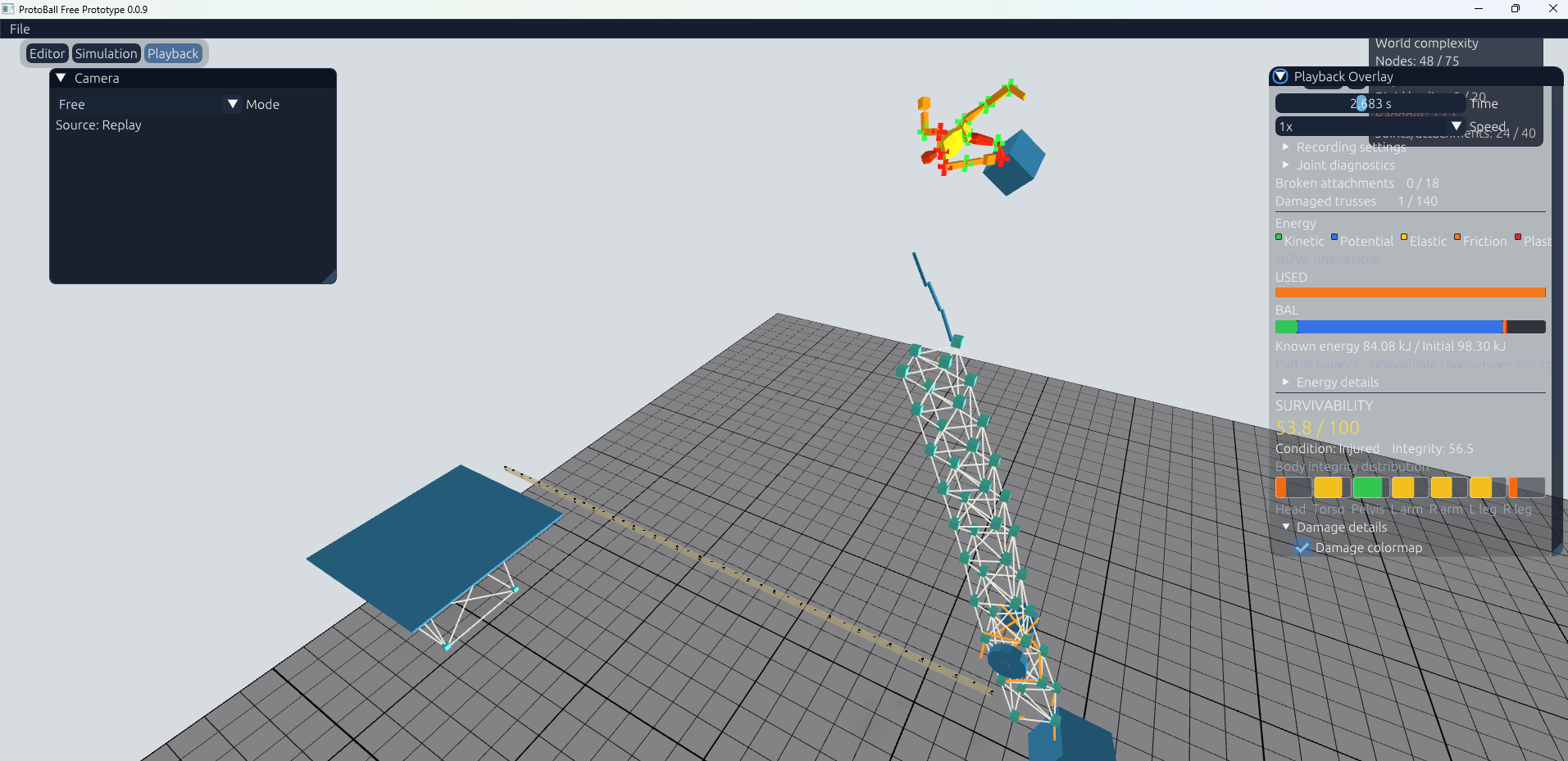
Color-coded simulation feedback reveals where structures deform, yield, and break. Breakable joints and the ragdoll Survivability system show the consequences of each impact, while a real-time Energy Balance tracks how energy moves between potential, kinetic, and elastic forms—and how it is dissipated through friction and structural failure.
Build with rigid bodies, trusses, ropes, wheels and joints. Create deformable structures, launch projectiles, crash vehicles, or put a ragdoll in the middle of your experiments.
Current features
- Interactive physics sandbox and world editor
- Rigid bodies and deformable truss structures
- Ropes, wheels and joints
- Plastic deformation and structural failure
- Physics-based ragdolls with injury and joint damage
- Energy tracking: kinetic, potential, elastic, plastic and friction
- Slow motion and simulation playback
- Build, simulate, record and experiment
Development
ProtoBall is currently in active development.
The goal is to create a sandbox where building something is only half the fun — the other half is discovering what happens when physics takes over.
Expect experiments, broken machines, questionable engineering, and plenty of crashes.
Under the hood
ProtoBall is built from the ground up in C++, without a commercial game engine. It features a custom real-time explicit solver for deformable truss structures, combined with rigid-body, joint, rope, wheel, and ragdoll physics.
Download
Install instructions
Download and installation
- Download the Windows
.zipfile. - Extract the entire archive to a folder. Do not run the game directly from inside the ZIP.
- Keep all included files and folders together.
- Run
ProtoBall.exe.
ProtoBall is portable and does not require installation.
Windows security notice
Because this early build is not yet digitally signed, Microsoft Defender SmartScreen may display a warning when you launch it for the first time.
If you downloaded ProtoBall from its official itch.io page, select More info → Run anyway.
You do not need to disable Microsoft Defender or any other Windows security feature.
Leave a comment
Log in with itch.io to leave a comment.